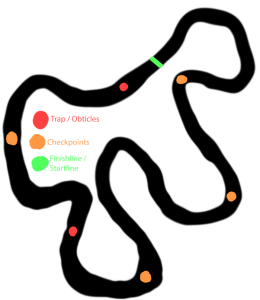
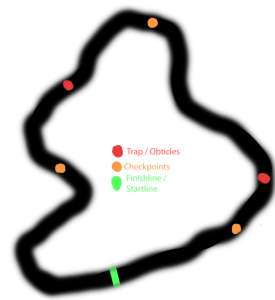
Here is a sketch of a track idea for my racing game. This is a medium sized track with a lot of sharp turns that will make this track tricky to maneuver without crashing and slowing the car down. There are also some checkpoints scattered around the Track so that if the player gets stuck or falls off the track they do not have to start all over, Traps and obstacles are also scattered around the track, These traps will consist of holes, falling pieces of track and other obstacles to slow the player down.
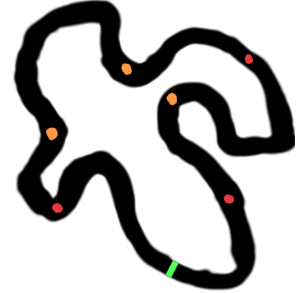
Here is another sketch of a Track that I have made. This track is another medium sized track with many sharp corners and turns that will throw the player around and slow their progress so that it will be harder to get a better time whilst racing. Traps and obstacles are also scattered across the track to add another layer of difficulty these traps will include sections of the track moving, Falling and disappearing. Checkpoints will be used to help the player if they are to fall of the track.
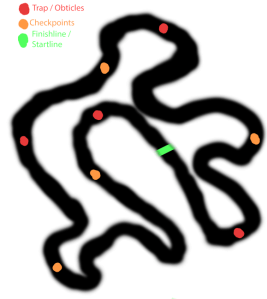
Here is another Track idea sketch that I have made to help me whilst I am building my track. This is a large track with many sharp turns that will be a challenge for the player to maneuver without crashing and loosing their fast time as they will have to go back to a checkpoint slowing them down resulting in a slower time and a bad result. To add more challenge there will be obstacles and traps scattered around the track.
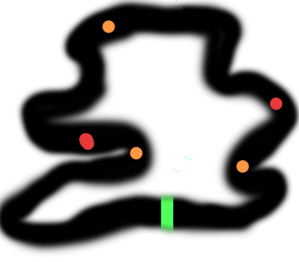
Here is a sketch of a track that I am thinking of making that I made using Photoshop. This is a small track with many sharp turns and a few U turns. These tricky turns are going to slow the player down increasing their times this will make it hard for the player to get a fast time on completing the track. There are also two traps around the track that will slow the player as the track is small there is not enough space for many traps.
Here is a final track sketch that I have made with Photoshop . This is a large track with not too many sharp turns and a lot of Straight sprints for the player to gain more speed whilst they are racing on this track, There are also two traps on the track. I have only put two traps on he track as i would like this track to be a fast paced track rather than a tricky track with a lot of turns that would slow the player down.
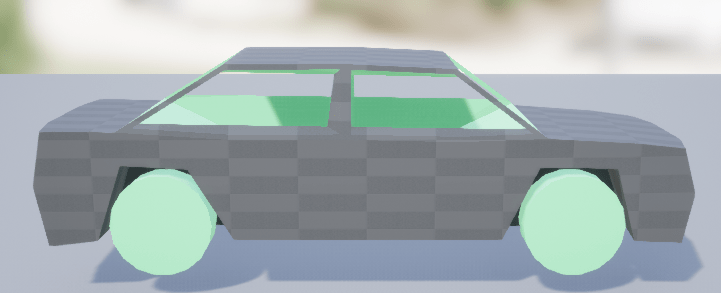
Here is a basic car model that I have found whilst watching a YouTube tutorial on making a vehicle in UE4. I like this model because it is very basic meaning that if I want to I am easily able to go into Maya add any details I want, unwrap it and texture it in Photoshop. It is also set up to be used in a game engine as all of the wheels are set up as different objects meaning I can assign different property’s to each of them.
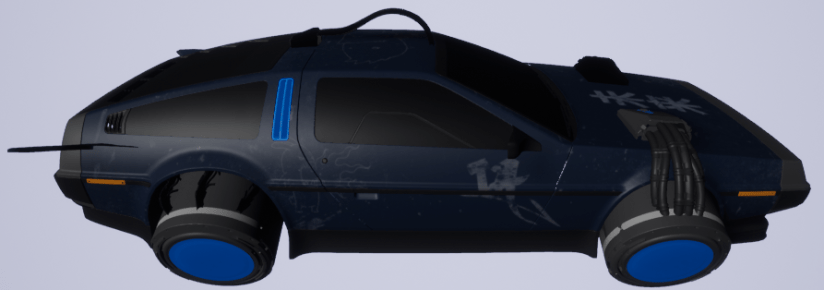
Here is another model of a car that I have found on TurboSquid Here : https://www.turbosquid.com/FullPreview/Index.cfm/ID/1422593. This is a model of a DeLorean Hover car. I like this model because it is more cyberpunk themed than the first model that I have found although I do not want a hover vehicle for my game so I don’t think that I am going to be using this car for my game because it does not suit my needs for the game.
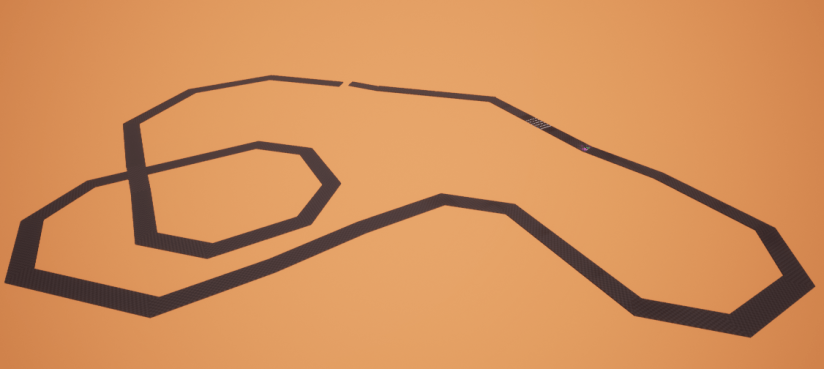
Here is a blockout of a track idea that I have made in unreal engine. This is a large track that I have made with a few sharp turns that slows the player down when they are trying to go around them. A jump can also be seen at the far end of the track that the player has to go over to continue going around the track. There are also a few bumps in the track at the beginning that the player has to go over and slows them down.
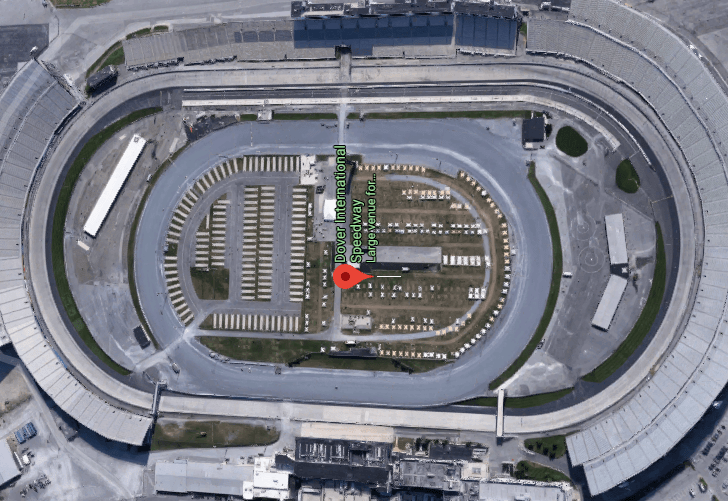
Here is a rough blockout of a track idea that I have made using the primitive shaped available in Unreal Engine 4. This track is a medium sized ring circuit and is supposed to mirror the design of a NASCAR track focusing on long stretches and then coming back on yourself creating a ring. I have chosen this track because most of the tracks I have made or sketched are complex with many turns and feel a smaller more basic track was needed. Below the blockout is a picture of the NASCAR track Dover International Speedway that I have mirrored.
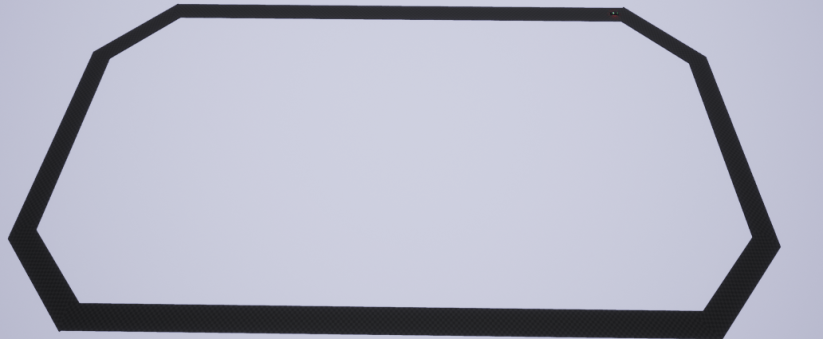
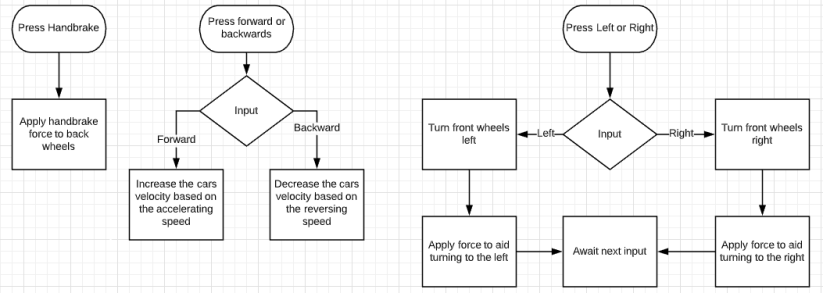
Here are some flowcharts on all of the basic movement that I am going to add for my vehicle. These flowcharts consist of a very small Handbrake flowchart where the player will press the button assigned to the handbrake in my case this button will be space, another one is a forward backwards flow chart where when the player presses the accelerate or the decelerate button the correct velocity and toque will be applied allowing the player to move. The final flowchart is for the turning of the car, first this flowchart awaits the players input after that it turns the front wheels the correct way so that the player is able to turn the car.
Here are some more flowcharts for different Events that happen throughout the race. The first is Nos, this will be triggered when the player presses the Boost button then it will check if the player is already boosting if they are the process will be terminated if, the player is not boosting then it will apply the boost force until the boost timer has finished. The next one is triggered if the player falls off the track or the map after being triggered it waits for three seconds and then checks if the player is still off the map to give them a chance to get back on and then will respawn the player at the most recent checkpoint. The final flowchart is triggered when the player goes through a checkpoint it then sets the players spawn to the closest checkpoint and sets the current rotation of the car to the spawn rotation so that the car is in the same position after respawning.

Here is a test for the movement of the car that i have made using the base car movement in UE4, I have used this base movement because of my lack of time that I have remaining in my project and this was the quickest way that i could put base movement for my car into my game. this movement is very basic and requires to be tuned using the turning circle graph and the toque graph that UE4 provided with this basic movement blueprint. I am planning to create my own movement blueprint in the future so that i am able to customize the movement and tweak it to my need in the future if i have the time. Below are some screenshots of the basic movement that i have made:
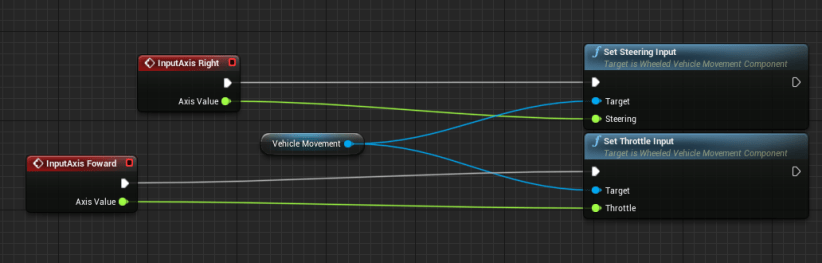
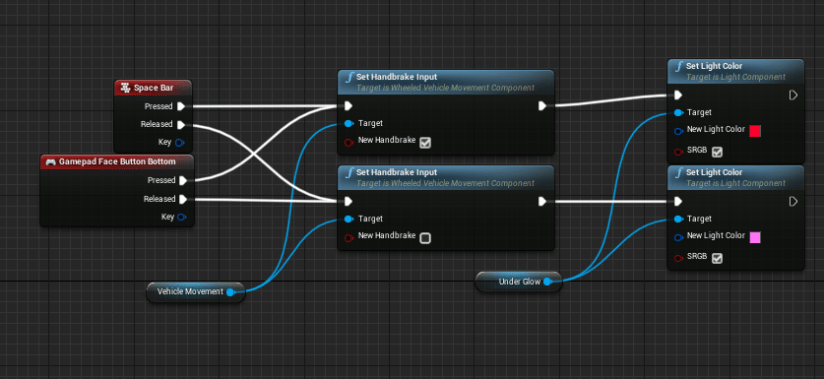
I also wanted to add a basic handbrake into my game so i begun testing on ways i could create this and found out that the blueprint that i have been using has a built in breaking system that I could utilize to speed up my process and catch up on the time that i have lost. This breaking system does not work how i would like to to and does not break with the power that i want so i will have to tweak this in the future. Below is a screenshot on the breaking system and a colour system that i have made for my car :
 Level 3 Games Development 2nd Year