Week Number & Date: Week 1
List of Tasks planned for this week:
- Gather all the assets that I am going need
- Setup the project in UE4
- Begin to blockout the track that I am going to be using
Current Position –
- What did I do this week and why did I do it? (Screenshots/Videos/Photos)
- What did I find difficult or easy?
- What tasks didn’t I complete from this week?
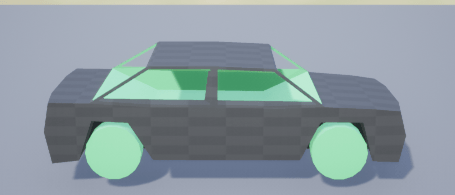
The first thing that I did this week was to gather all of the assets that I am going to be needing fortunately for this project I am not going to be needing a lot of assets as I am creating a racing game and all I need are some base pickups a Car as all of the tracks i am going to need I am going to use the Unreal Engine’s geometry tools to create. I found these task easy as I only needed to look for a few models online, the only model I struggled to find was a car that was going to be suitable for the game and the one that I ended up using I am not complacently happy with as it is incredibly basic although i am planning to edit the model in Maya. Below are screenshots of all of the models that I have found :
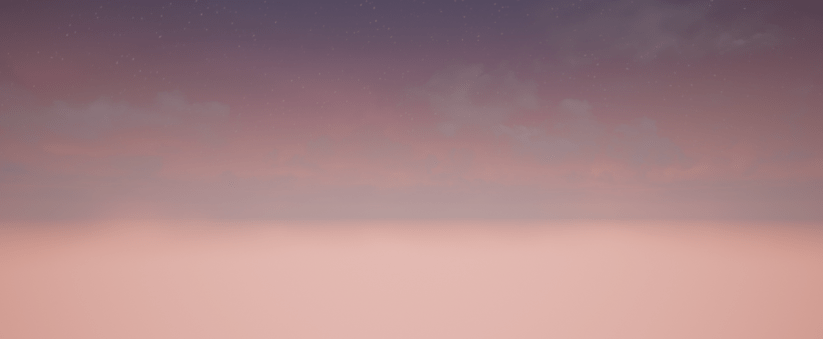
The Second thing that I did this week was to set the project up in UE4 and set all of the lighting accordingly as I want my scene to be set at Dusk with a nice sunset.Doing this is going to make me able to add in all of the models that I am going to be needing and so that I am able to complete my next task which is to begin creating the race track that I am going to be using. I found this task to be one of the easiest that I have completed because I have now done this countless times in the past whilst working with UE4 in the past year. Below are some screenshots of the project and the lighting of the scene :
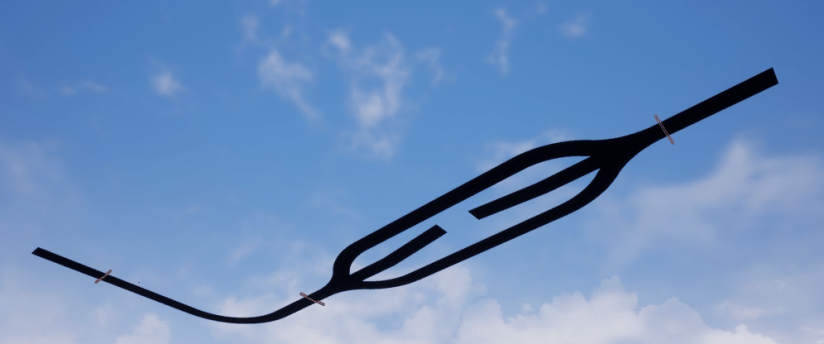
The Final Thing that I did this week was to begin to create the track that the player is going to be driving on whilst playing the game, for this task I used the geometry tools that UE4 provides. I found that completing this task was also very easy due to the amount of times that I have used the geometry tools in UE4 in the past year. Below I have put some screenshots of how the track is currently looking :
I have completed all of the tasks that I had set for myself this week although I would have liked to have done a bit more. Next week I am going to begin to create the blueprints for the car and all of the blueprints to make sure that the player stays on the track and is able to complete the race if they fall off the track.
Week Number & Date: Week 2
List of Tasks planned for this week:
- Create the blueprint for the car
- Out of map falling
- Checkpoints
Current Position –
- What did I do this week and why did I do it? (Screenshots/Videos/Photos)
- What did I find difficult or easy?
- What tasks didn’t I complete from this week?
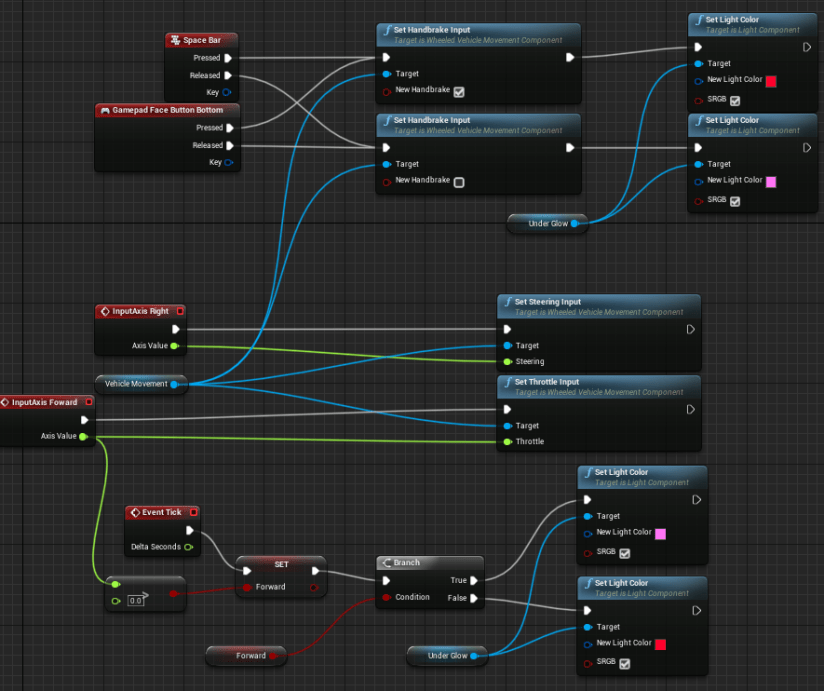
The first thing that I did this week was to begin to create the blueprint for my car. To begin this I created a four wheeled vehicle blueprint to help speed the progress up however in the long run doing this has caused multiple issues involving the turning and traction of the vehicle however it did work and I was already behind in what I needed to complete so I had to do this. After creating the blueprint i moved onto adding specific functions like handbrake and controller functionality. I found doing these tasks very easy as I have used the vehicle blueprint and saved some time although lowering the overall effect. Below are some screenshots of the blueprint :
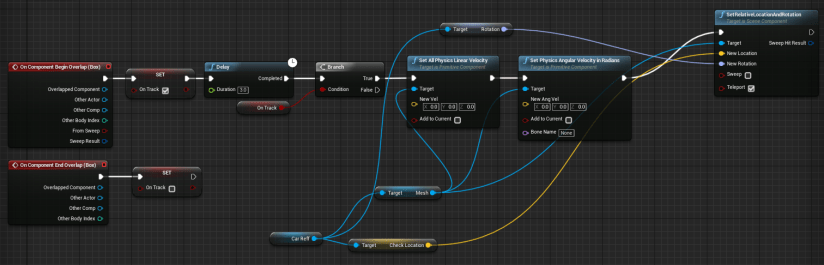
The second thing that I have done this week was the out of bounds areas of the map. For this task I started by creating a blueprint with a box collider. The blueprint will wait for the player to go into one of these areas and then will wait for three seconds at the end of the three second the collider will look to see if the player is still out of bounds and if the player is then it will send the player to the last checkpoint that they triggered, if the player is not out of bounds at the end of the timer nothing will happen and the player will be allowed to continue. The tasks that I have completed today were fairly easy and did not present any real problems. Below are some screenshots of the blueprint that i have made :
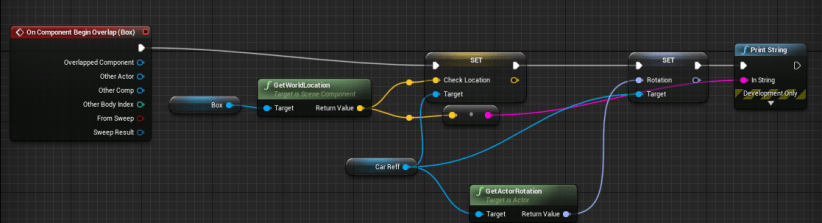
The final task that I have set for myself to do this week is to create the blueprints for the checkpoint system. The first thing that i did for this task was to create a blueprint with a small box collider in it that when triggered by the player will then will the current position and rotation of the vehicle to the spawn location so that when the player fall off the map or needs to go back to the checkpoint they are facing the right way and are able to continue. I found doing this task to be slightly problematic to begin with as I had some issues with the rotation and velocity of the car but I quickly fixed these issues and completed the task. Below are some photos of the blueprint that I made for this task:
Planning for next week –
I have completed all of the work that I have had planned for this week however i would have like to have done some extra work this week. Next week I am going to begin to work on the extra features of the car and to begin to build a more fleshed out track for the game.
Week Number & Date: Week 3
List of Tasks planned for this week:
- Nos for the Car
- Tune car’s speed and turning
- Begin Creating final track
Current Position –
The first thing that I begun to work on this week was the Nos boost for the car. I begun doing this by assigning a button on both the keyboard and controller so that the player is able to trigger the boost. Then I created an even in the blueprint for the car that is triggered when the player presses the corresponding button, after this it will check if the player is currently boosting and if they are able to boost again, If the player is able to boost then it will get what way the car is facing and will increase the velocity depending on the strength of the boost and the current speed of the car. I found this task to be fairly easy and and only encountered one problem when I was trying to get the timing of the boosts as i had never used a timeline before but i quickly fixed this and completed the task. Below are some screenshots of the blueprint :

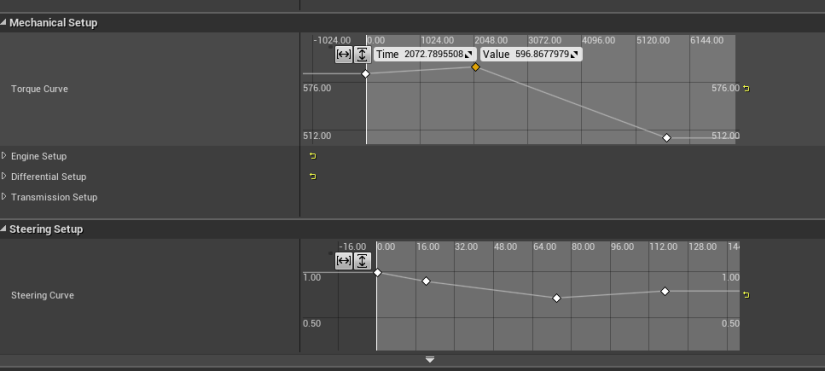
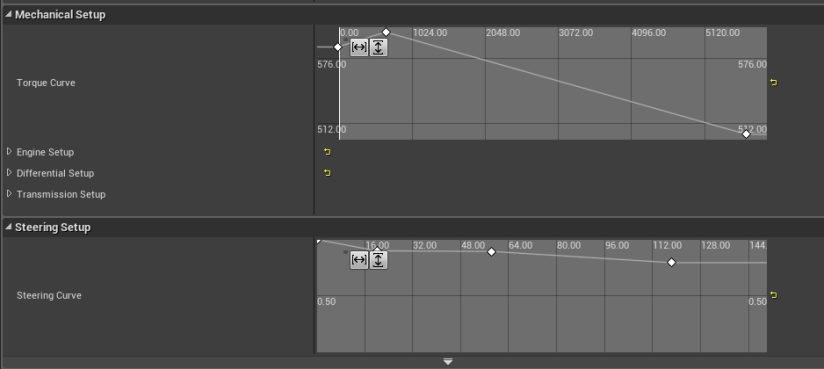
The next thing that I begun to work on this week was the tuning of the car’s throttle and tuning circle. To begin this set I had to set up a course to test the steering and speed of the car under different circumstances including jumps, Bumps and drag strips. After going through the course a few times with peers I adjusted the throttle and turning circles of the car until i thought that the cart behaved how I wanted it to. I found doing this task to be very difficult as i have never had to attempt this before and do not have a large background in playing or creating vehicle games which made this task tricky. I feel as though this step will need to be redone at a later date when I have made the track that the player will be racing on because I am not too happy with the outcome. Below are some screenshots of the throttle and steering curve chart.
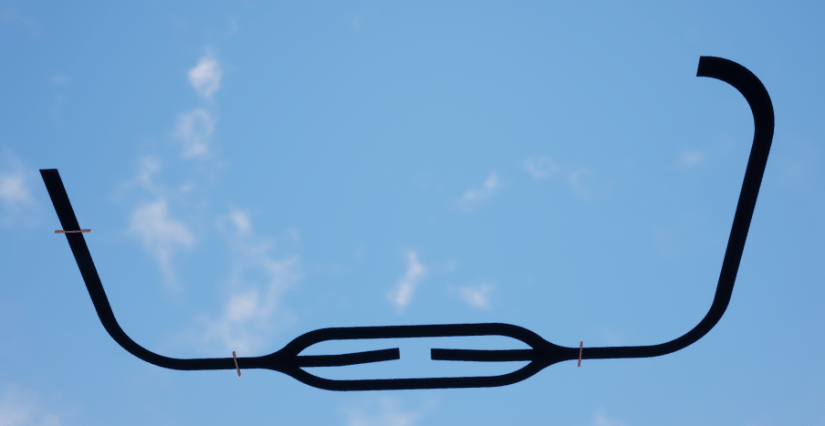
The final task that I have set for myself to complete this week was to begin creating the final track/s that the player will be racing on. To begin this task I took a look at some of the old sketches that i made during my ideas generation phase of the Unit. Next i moved onto creating the base of the track using the geometry tools that UE4 provides, The only issue with using UE4’s geometry tools is that they do not offer a lot in the way of curves meaning that I the track has a lot of sharp turns and corners that I am unhappy with. I found this task to be very easy as I have used these tools a lot in the passed lessons and projects. Below are some screenshots of the track that I have made so far :
Planning for next week –
I have completed most of the tasks i had planned for this week to some extent, although a few of the things I have done will need to be tweaked or redone in the future due to the changes that are going to be made to the track and tuning of the car. Next week I am going to be continuing on with the Tuning of the car and the creating of the final track as these are not completed yet.
Week Number & Date: Week 4
List of Tasks planned for this week:
- Continue creating track
- Continue tuning car
- Begin creating textures for track
Current Position –
- What did I do this week and why did I do it? (Screenshots/Videos/Photos)
- What did I find difficult or easy?
- What tasks didn’t I complete from this week?
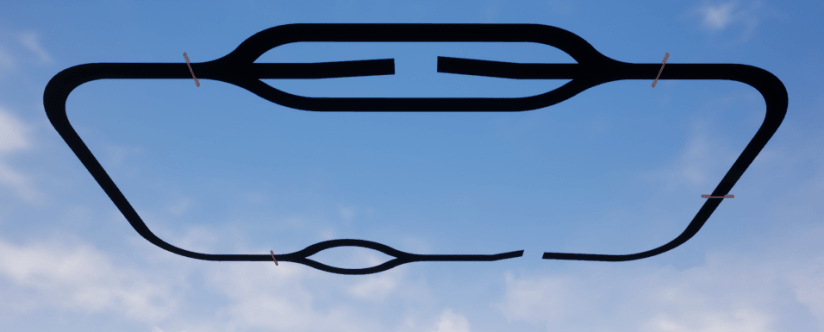
The first task that I did this week was to continue on with creating the track that the player will be racing on whilst playing the game. To do this I opened the project with the track that I made last week and continued to use the geometry tools and the research that I have got to finish off the base track. This task was again very easy to complete because I have used these tools a lot in the past units that I have completed. Below are some screenshots of the track that I have made.
The next task I did this week was to continue to do some more tuning for my car as I was not happy with how it was when I finished it last time and I still feel that the car sides around the track a bit too much and the player is not able to control the car very well and easily looses the little control that they have. To help doing this I got a few of my peers to help by judging how the car controls around the track that I have so that I know what to adjust to get the optimal result. This task was difficult at times and easy at others as there were certain points where i did not know what some of the properties were. Below are some of the charts that I used to map out the throttle and steering for the car :
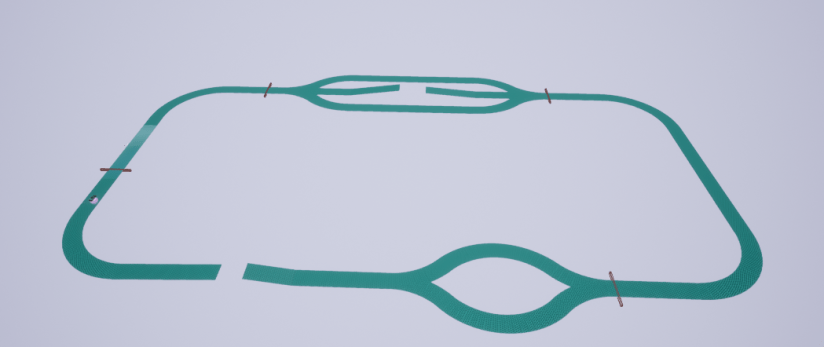
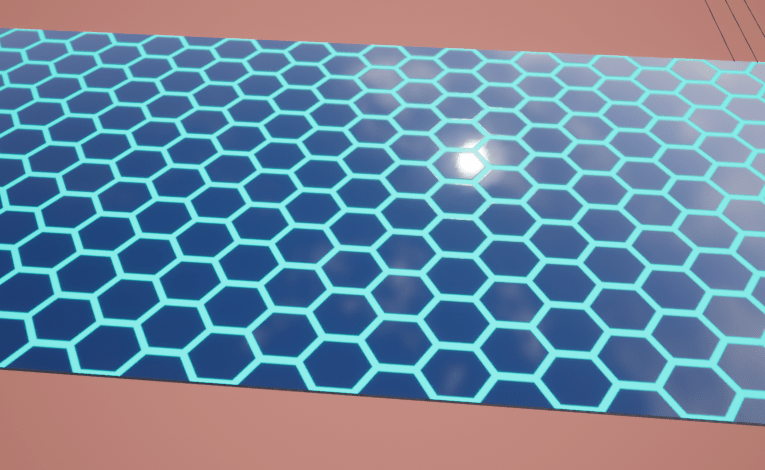
The final thing that I did this week was to begin to create the textures that I am going to use for the track that the player will be driving on top of. The first thing i did to start this was to open substance designer and create a project for the texture of the track, I created a couple textures because I was not overly happy with the first texture that I created and wanted to try again. I found creating these to be fairly easy as I have recently had a few lessons on how to create textures using designer which helped me greatly in creating these textures. Below are some screenshots of the textures that I made for the track :
Week Number & Date: Week 5
List of Tasks planned for this week:
- Finish of the track
- Apply all textures
Current Position –
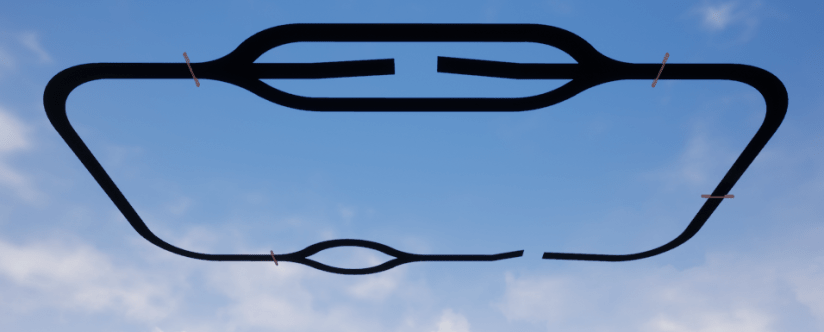
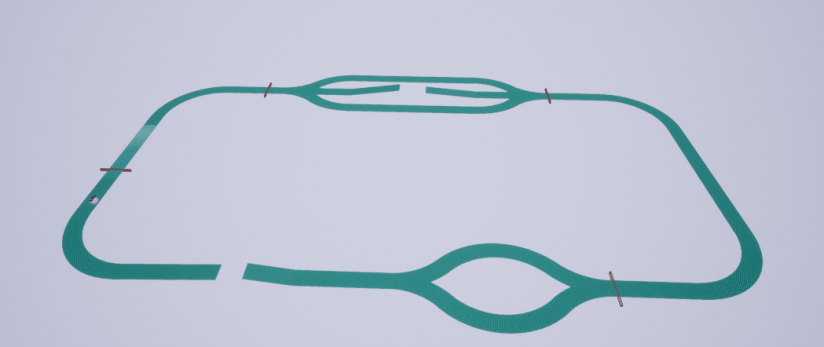
The first thing that I did this week was to make sure that all the track is finished and there are no missing sections to the track so that the game is playable and completed. After looking for any missing sections of the track I went through and finished of all the missing sections and tested all of the jumps, turns and obstacles to make sure that the track is possible to complete. I found this task to be extremely easy as once again I was using UE4’s geometry tools that I am very familiar. Below are some screenshots of the finished track that I have made for my Cyber punks Game :
The final thing that I did this week was to go through all of the geometry of the track and apply the textures that I have made using designer last week and make sure that they all look fine and tile as best they can. Not all of the texture are perfectly tilled because some of the angles of the track will not allow this. This task was very easy as it just consisted of me dragging the textures to the correct place and making sure they look alright, I am not entirely happy with this as they did not all tile nicely and looked a bit out of place at certain sections of the track. Below are the screenshots of the textured completed track that i have made :
Planning for next week –
I have completed all the tasks i have set for this week to a acceptable standed. next week i will not be adding any more to my project as this is the end of the project.
 Level 3 Games Development 2nd Year