My target audience was Teenage males aged 12- 22. I feel as though my game has not entirely met the needs for this audience as I originally wanted it to be more graphic and action packed and this effect did not happen, However the look and feel of the gameplay that has been produced has the effect of family game for people to play with children and friends for a bit of fun at a party or gathering . I have allowed multiple people within the age range I had originally set and their feedback was on the lines of it would be fun to play with my siblings and with a few friend for some fun rather than a gory competitive game which was the original idea. However I am happy with the outcome of the game as it was fun to see people have fun when playing it.
My audience research helped me to develop an idea to make a shooter game where the player would have to shoot something, It also gave me the idea to add blood to my game however i never actually implemented blood into my game because I settled for a more family setting than a gory game.
In my level design research I have identified a design process that helped me to create my final level. This process is blocking out. This process helped me quite a lot when i was crating my game as originally i wan unsure on how i wanted my level to be laid out. all i knew was the level did not need to be large as there was no movement in the game except from the train which only moves in one direction. I used the blockouts to help me position where i wanted the rails and buildings in comparison to the players spawn location.
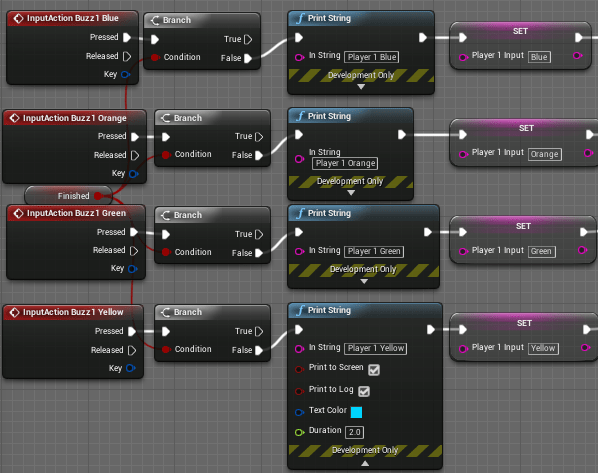
This project has challenged me a fair amount as the Buzz controllers that I have used made developing the game a deal harder as they are not normally used in UE4 and had to e manually implemented into the engine using custom plugins and input management, They also only gave out a single player output meaning using them for two player was harder than usual. The Buzz controllers where added because that add a slight bit more fun in the randomized code that the player has to input before they are allowed to shoot one another as they have 5 coloured buttons that can be used to create a colour code that is fun and easy to input rather than mashing a keyboard. This Project has also taught me a lot more about the Unreal engine and how to use it to create a functioning game that plays well and does not have many bugs or glitches in it.
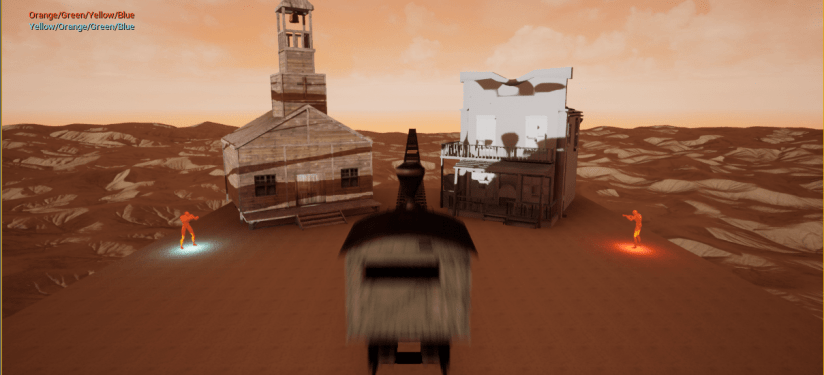
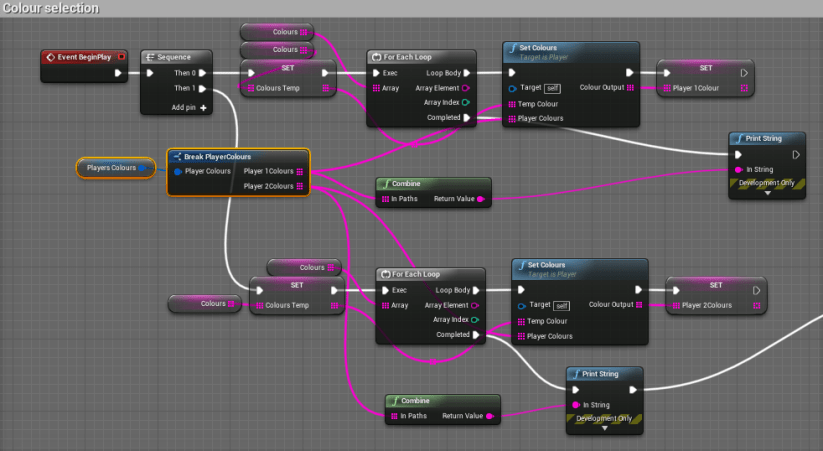
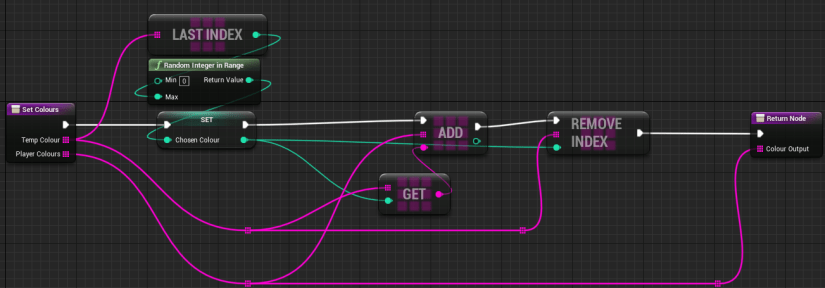
I feel as though the colour selection process works very well in my game as it was simple to create and works without fault and produces a completely random four colour, colour code with each colour used once and only once each time it is ran. A few of the things that did not go too well were the Buzz controllers and the Multiplayer. Both of these issues are linked though as the Buzz controllers would only give a output for one player as there are all connected to one USB. This meant that the two players had to be on one player controller blueprint meaning that the first person and the third person camera angels had to be scrapped and a wider ranged camera had to be implemented so that both players could be seen on one camera. All of these points can be seen below
Input for Player 1 (Player 2’s is the same)
Camera view point
Colour selection
Colour selection
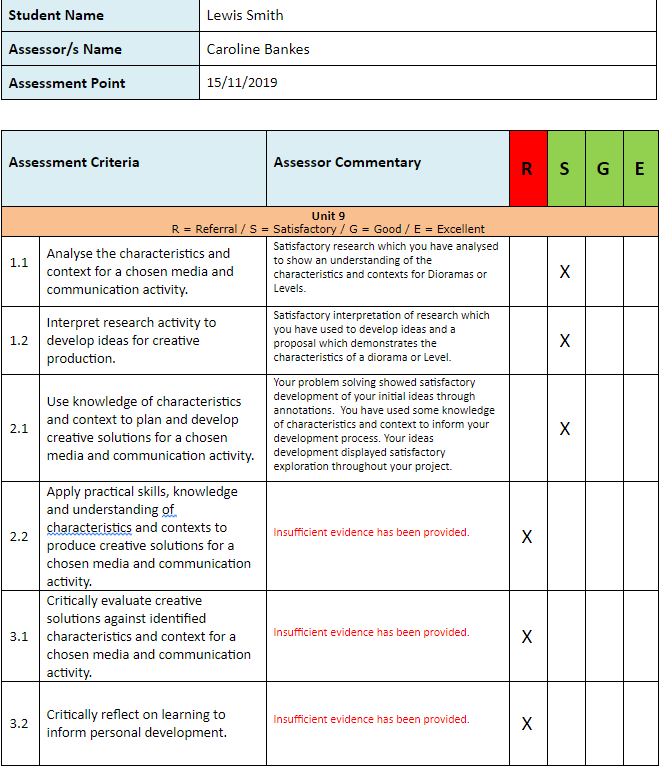
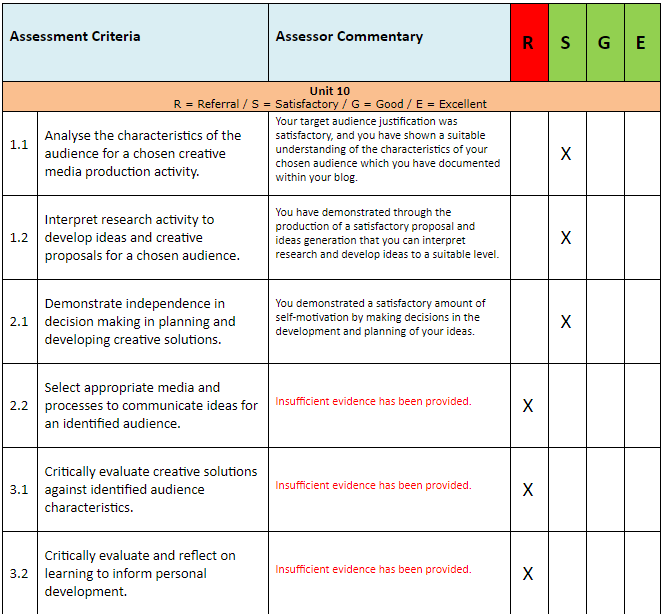
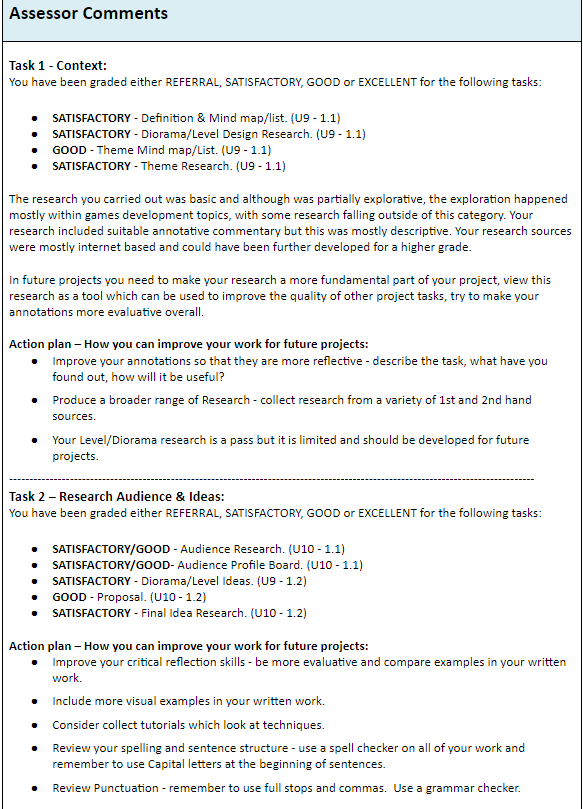
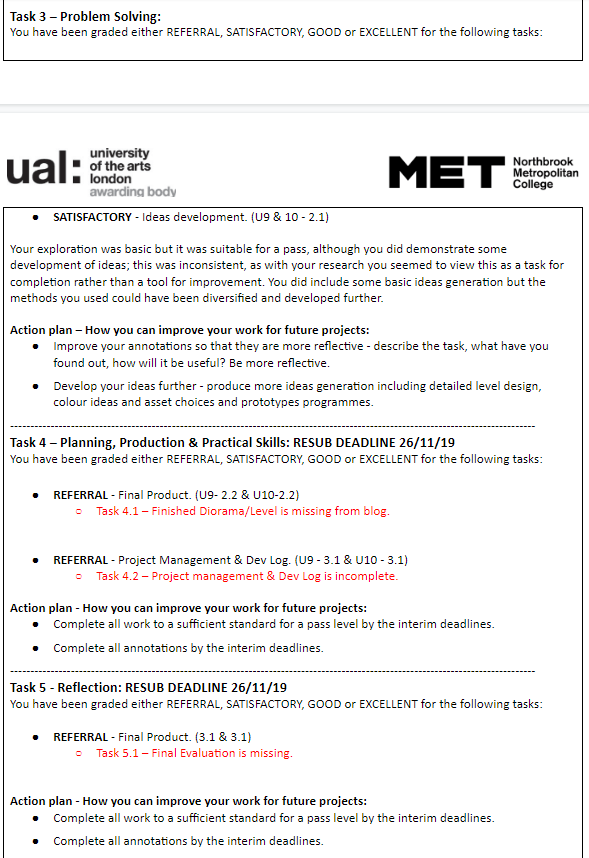
My peer feed back has been immensely helpful for this project as there have been sections of the work that i have not understood or not completed to a good standard and the tutors have shown me what I have done wrong or what i need to add to the work so that it is in better quality than it was before. This help has been given to me in class but mostly in the form of my interim feedback sheets that I get given at the end of each interim. here are a few examples of the tutor feedback that i have received for this unit.
 Level 3 Games Development 2nd Year